
Almost every new project starts with the same question: “Should we build this on Shopify, WordPress or Wix?” Usually it’s asked as if there’s one correct answer and I’m hiding it.
There isn’t one. But there is a wrong answer for almost every business. Over 20+ years of building websites and stores, I’ve seen more money lost to the wrong platform than to bad design.
Picking a platform is less about features and more about how your business will actually run a year from now. Here’s how I make that call with clients.
Start with what you sell, not with what’s trendy
The first thing I ask isn’t “which platform do you like?” It’s “what does a normal Tuesday look like for your business?”
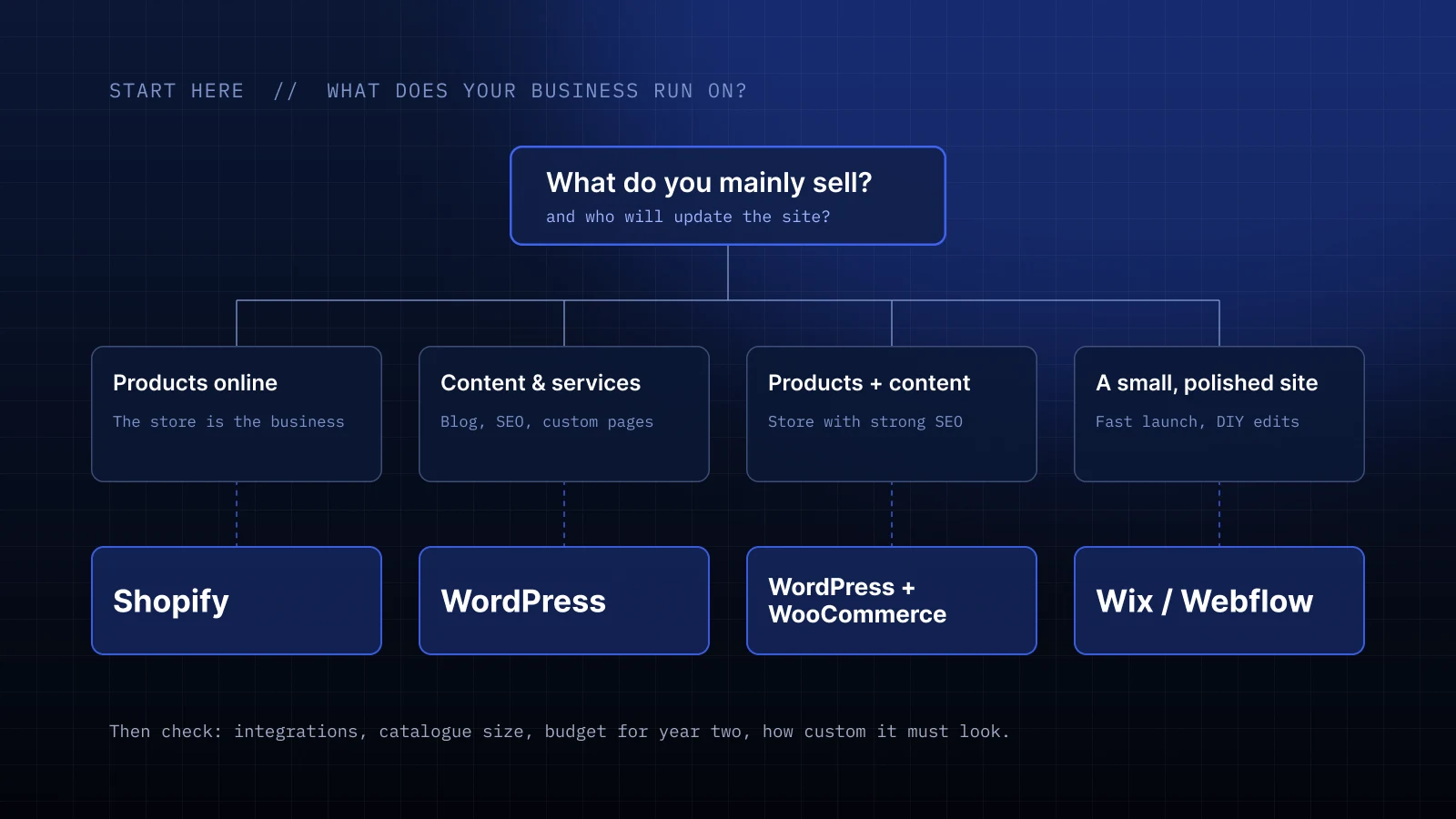
- You sell products online, and that’s the main business. Shopify is my default. Payments, shipping, taxes, inventory and checkout just work, and you don’t spend weekends updating plugins.
- Content is the product, or you need a flexible marketing site. WordPress gives you the most freedom: blogs, landing pages, custom layouts and integrations with almost anything.
- You have a store, but content and SEO matter just as much. WordPress with WooCommerce can be a great fit, as long as someone looks after it.
- You need a polished small site fast, and you’ll edit it yourself. Wix or Webflow is often the honest answer.
The questions that actually decide it
Before I recommend anything, I go through a short checklist with the client.
1. Who will update the site after launch?
If it’s you, on a Friday afternoon, between two calls, the editor matters more than any feature list. Shopify and Wix are friendly to non-technical teams. WordPress can be just as easy, but only if the site is built with that in mind.
2. How much will it grow?
Ten products and one landing page is a very different job from 800 products in 40 categories with filters. For one store fixtures supplier I designed for, the catalogue was the whole story, so the platform had to handle large collections and filtering without a fight.
3. What do you need to connect?
Email marketing, CRM, booking, ERP, a warehouse system. List them. Sometimes one integration decides everything.
4. What’s the real budget, including year two?
A cheaper build can end up more expensive over time. Monthly fees, paid apps, plugin licences, hosting and maintenance all count.
5. How unique does it need to look?
Every platform can look premium. But the more custom the design and behaviour, the more you need a platform and a developer that can handle custom code.
Shopify: when selling is the business
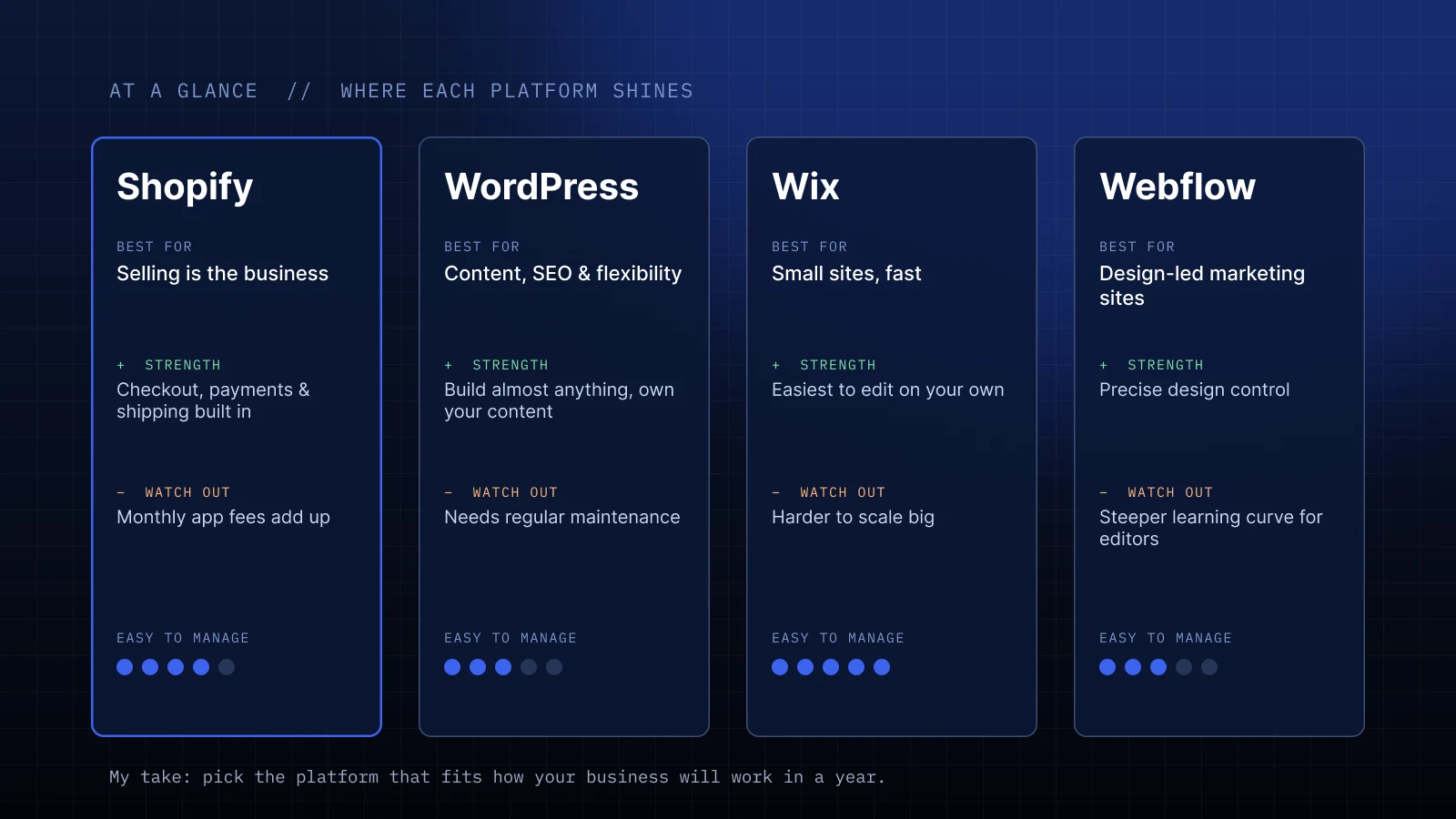
For e-commerce, Shopify is where I send most clients, and I’ve built and maintained stores on it for jewellery brands, product companies and retail suppliers.
What I like:
- Checkout, payments and shipping are solid out of the box.
- Hosting, security and updates are handled for you.
- With custom Liquid code (Shopify’s template language), the store doesn’t have to look like everyone else’s theme.
What to watch:
- Apps add up. A few “only $9 a month” apps quickly become a real line in the budget.
- Content-heavy sites and complex blogs feel more natural on WordPress.
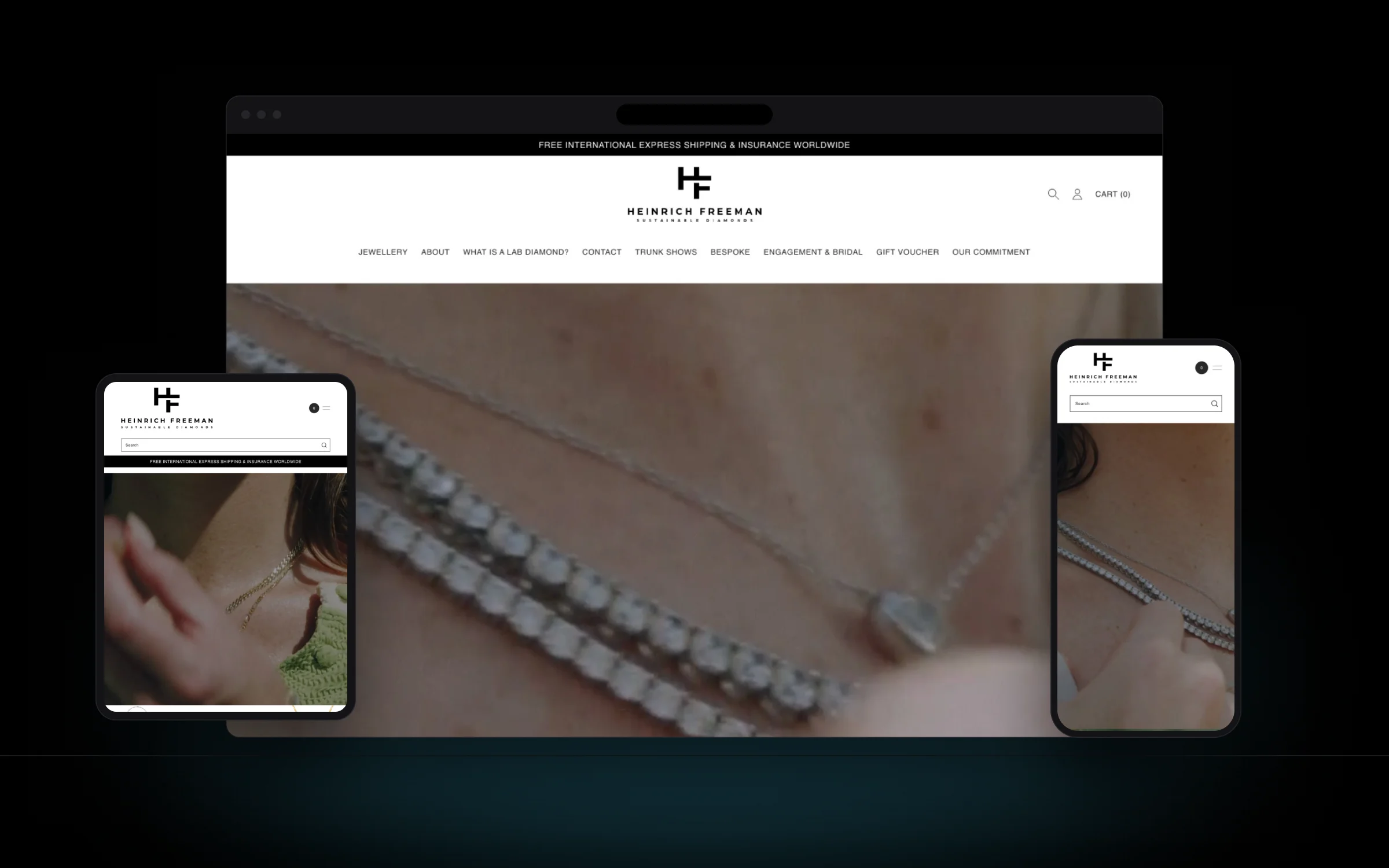
One luxury jewellery store I design, build and maintain has been running on Shopify since 2023. The team adds collections and products on their own, and I step in for new sections and bigger changes. That’s the balance Shopify does best.
WordPress: when you want freedom (and someone to look after it)
WordPress powers a huge part of the web for a reason. You can build almost anything, own your content and pick from thousands of integrations.
The catch is that freedom comes with responsibility. Updates, backups, security and performance need regular attention. A WordPress site without maintenance is like a car without oil changes: fine for a while, until it isn’t.
When it’s done right, the results can be great. After redesigning the website and WooCommerce store for a regional water-delivery company, their sales grew by 300%. The site has been maintained and extended ever since, and that ongoing care is part of why it keeps performing.
Wix and Webflow: when speed and simplicity win
Designers sometimes look down on Wix. I don’t. For a coach, a consultant or a small local business that needs a beautiful site quickly and wants to edit it without calling anyone, it’s often the most sensible choice.
Webflow sits a bit higher: more design control and cleaner code, great for marketing sites, with a steeper learning curve for editors.
Where both get tricky is when the site needs to grow into something big: a large store, complex logic or heavy integrations.
The mistakes I see most often
- Choosing by what a friend uses. Their business isn’t yours.
- Picking the cheapest start. Then rebuilding a year later, which is never cheap.
- Ignoring who maintains it. A platform your team can’t manage will slowly turn into a site nobody updates.
- Migrating without a plan. Moving platforms without redirects and SEO care can quietly wipe out years of search traffic.
(Yes, I’ve been called in to fix that last one more than once. It’s fixable, but much easier to avoid.)
So, which one should you pick?
If I had to sum it up in one sentence: pick the platform that fits how your business will work in a year, not the one that looks easiest today.
That’s the part of the job clients usually don’t expect from a designer. Before I draw a single screen, I want to understand how you sell, who runs the site and where you’re heading. The design comes after.
Not sure which platform fits your project? Send me a few lines about your business at hello@vladimirkoncos.com and I’ll tell you honestly what I’d use and why. You can also see my Shopify and WordPress projects in the portfolio. Prefer working through a platform? You can also hire me through Toptal.
First-time comments are reviewed before they appear. Your email is never published.